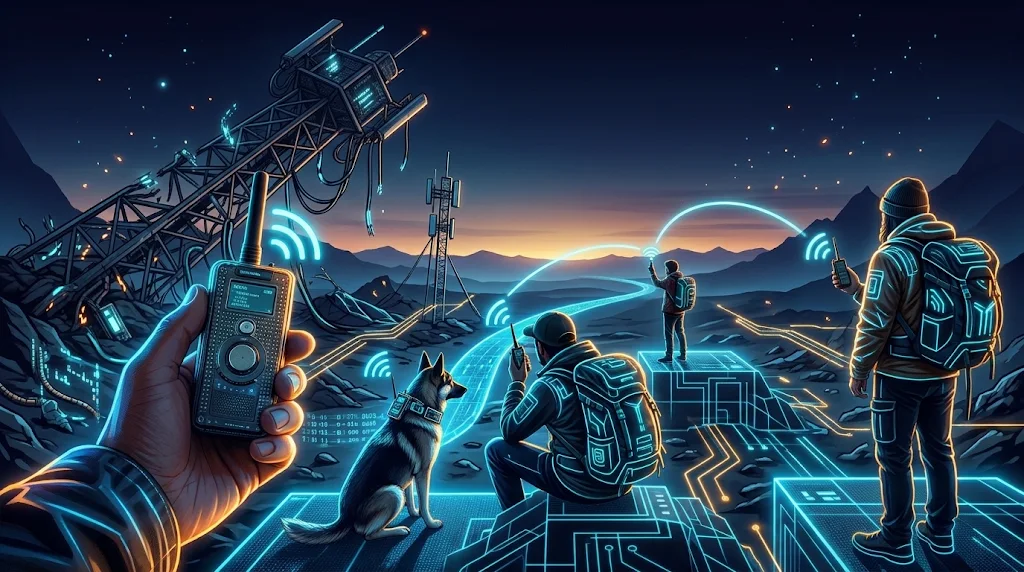
When the cell towers go quiet, how do you tell your family you are okay?
On September 28, 2024, following Hurricane Helene, 74% of cell sites in the affected areas of North Carolina were out of service (Walker, 2024). For many residents, phones they relied on every day became expensive flashlights.
I've spent much of my career working in disaster assistance, and I've seen how difficult recovery becomes when basic infrastructure fails. Families need to check on each other. Neighbors need to share information. Sometimes a short message saying "We're safe" is enough to ease someone's worry.
That's why I've been experimenting with Meshtastic, an inexpensive way to exchange text messages without cellular service or internet access. My setup includes a Heltec V4 connected to my iPhone, a standalone M5Stack Cardputer ADV, and an external antenna that has helped me communicate with other users around Northern Virginia.
The technology is available now, and you don't need a radio license or an engineering background to try it.
What is Meshtastic?
Meshtastic is a free, open-source project that uses small radios to send short text messages over a wireless technology called LoRa, short for Long Range (Meshtastic, Introduction). LoRa is designed to send small amounts of information over long distances while using little power.
With some devices, you type a message in an app on your phone, which connects to a radio over Bluetooth. The radio sends the message. Other devices have their own keyboards and screens, so you can leave the phone behind.
There are no monthly fees for local radio messaging. Basic boards can cost less than $30, although ready-to-use devices with batteries and cases cost more. Some inexpensive boards require assembly or initial setup.
There's one catch: the person you want to reach also needs a compatible radio, and there must be a usable radio path between you. Buying one device doesn't create a network by itself.

How does meshtastic work?
Meshtastic uses a mesh network. Imagine three neighbors. The first can't reach the third directly, but a radio at the second neighbor's house can hear both. It can automatically repeat the first neighbor's message so the third receives it.
That's called relaying. Think of passing a note across a crowded stadium instead of trying to throw it from one end to the other. Meshtastic radios can help carry messages across a community, provided enough devices are powered on and within reach (Meshtastic, Overview; Meshtastic, Mesh Broadcast Algorithm).
Some people carry radios. Others leave them at home or install them in elevated locations. Battery-powered or solar-powered nodes can keep operating when the electrical grid is down. A neighborhood with several working nodes could continue exchanging messages even if cellular networks fail.
The more important question isn't how many radios exist on a map. It's whether yours can actually reach them. Test that before an emergency.
What I'm using
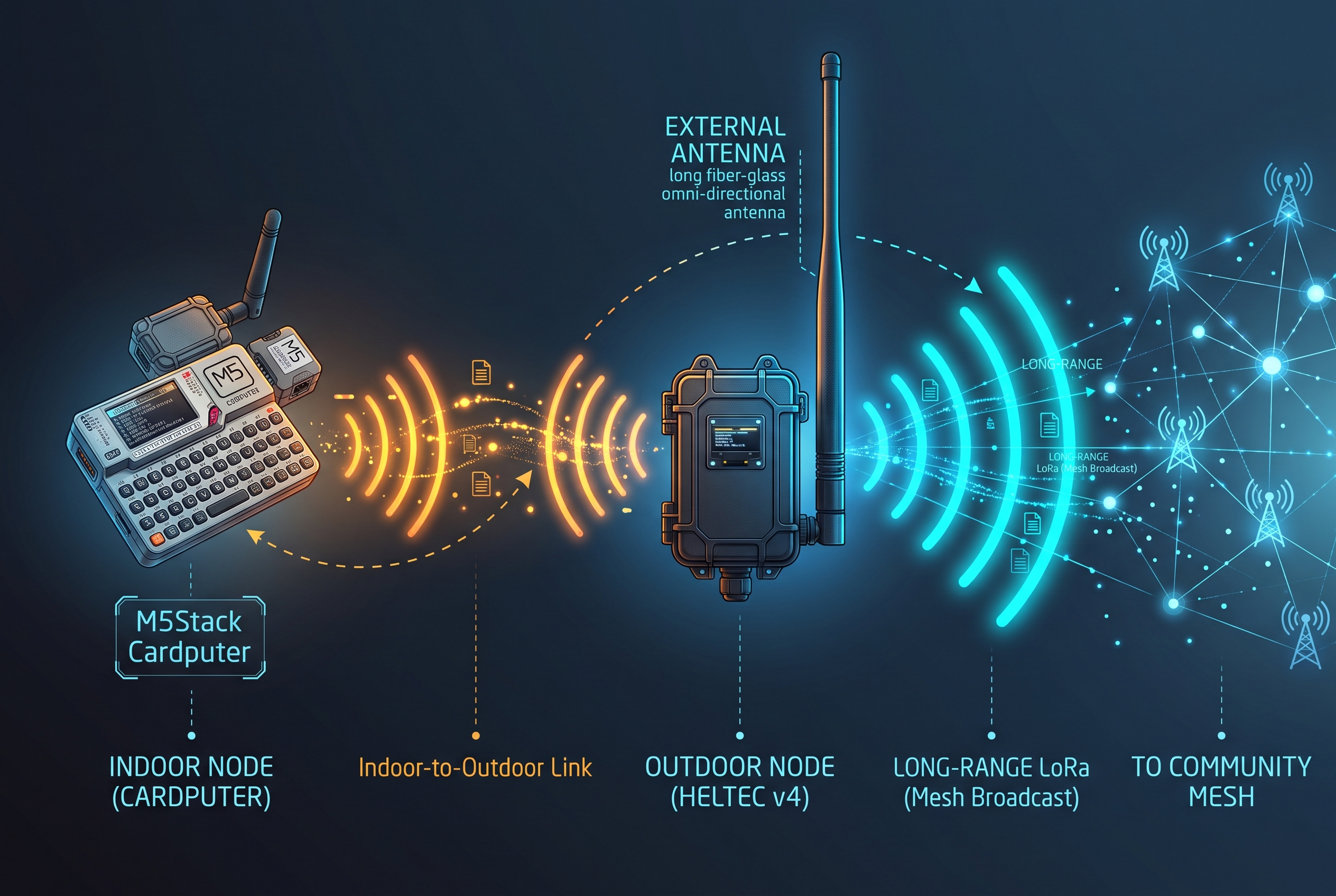
My first setup is a Heltec V4 connected to my iPhone through Bluetooth. I type messages using the Meshtastic iOS app, and the Heltec handles the radio transmission. My phone doesn't need cellular service to do this. The Heltec is one of several relatively inexpensive supported boards. My setup is stationary so the GPS coordinates are hard coded into the app. If you purchase a meshtastic device to go portable and connect to it through your phone, the phone has gps capability and will update your location in the meshtastic software automatically as you move.
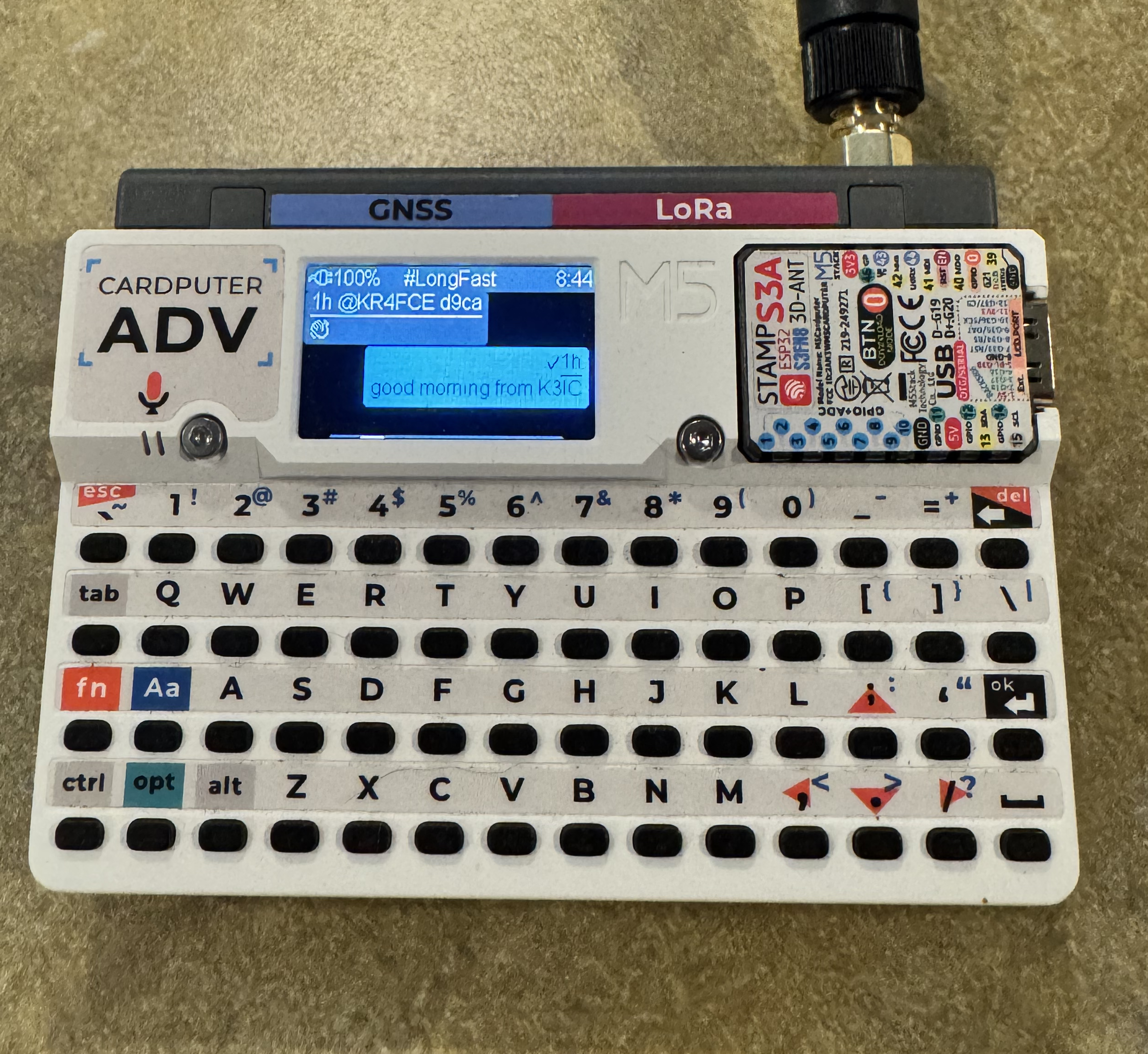
I also use an M5Stack Cardputer ADV, a small device with its own keyboard and screen. With compatible LoRa hardware and firmware, it works as a standalone messenger without my iPhone. Other manufacturers sell more ready-to-use options, including devices with batteries and displays.
The hardware is approachable. The iOS app still needs some work. It does the job, but settings for radios, devices, and channels can be confusing if all you want to do is send a message. I'd like to see a simpler experience for everyday users. The Meshtastic software is open source, and volunteers continue improving the software, but expect a learning curve.
When I ran into setup problems, ChatGPT helped me create a configuration script using the settings my local community was using. Once I loaded it onto my radio, I was up and running. You don't have to use AI, but it's one example of the help available when you get stuck.
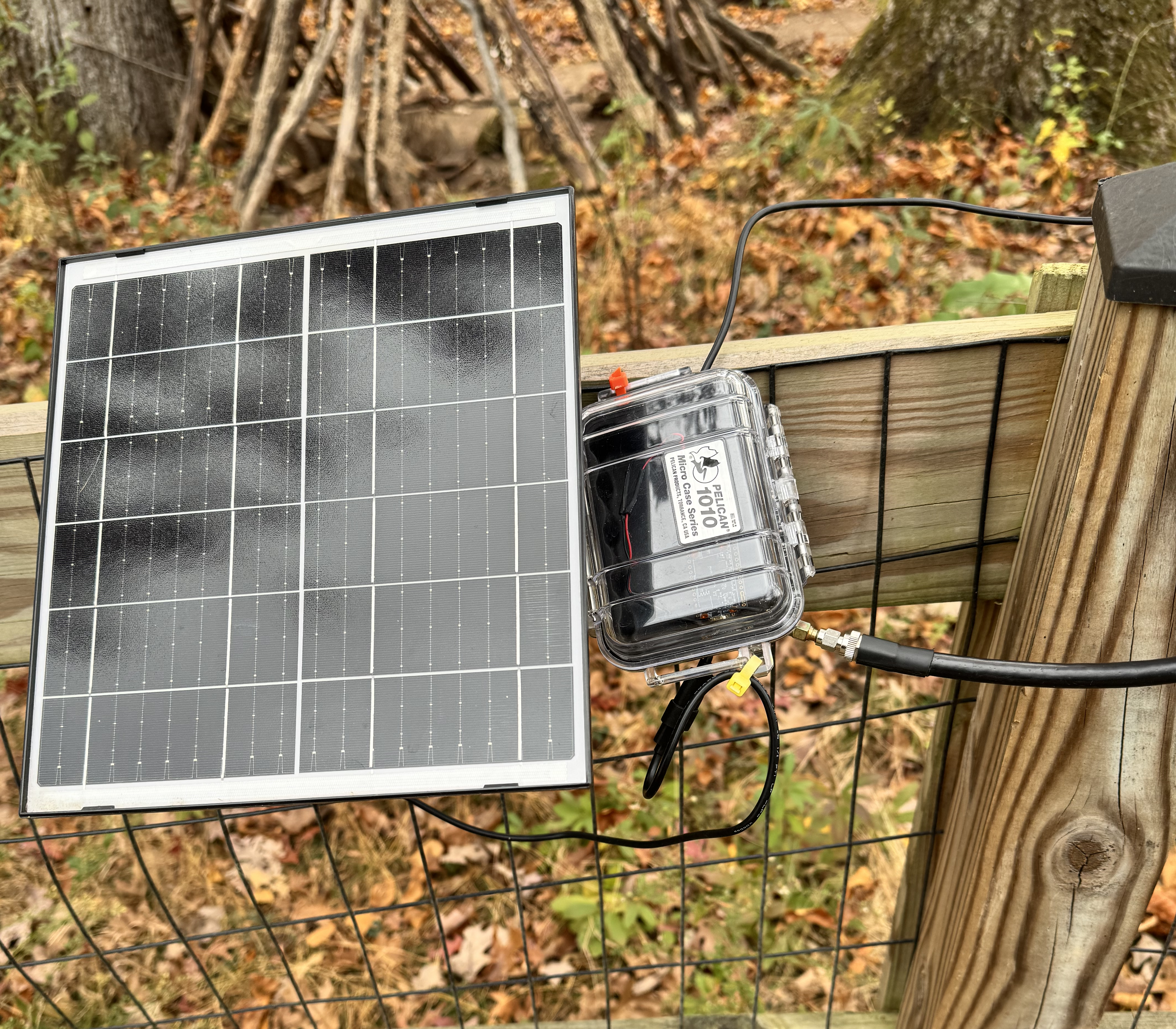
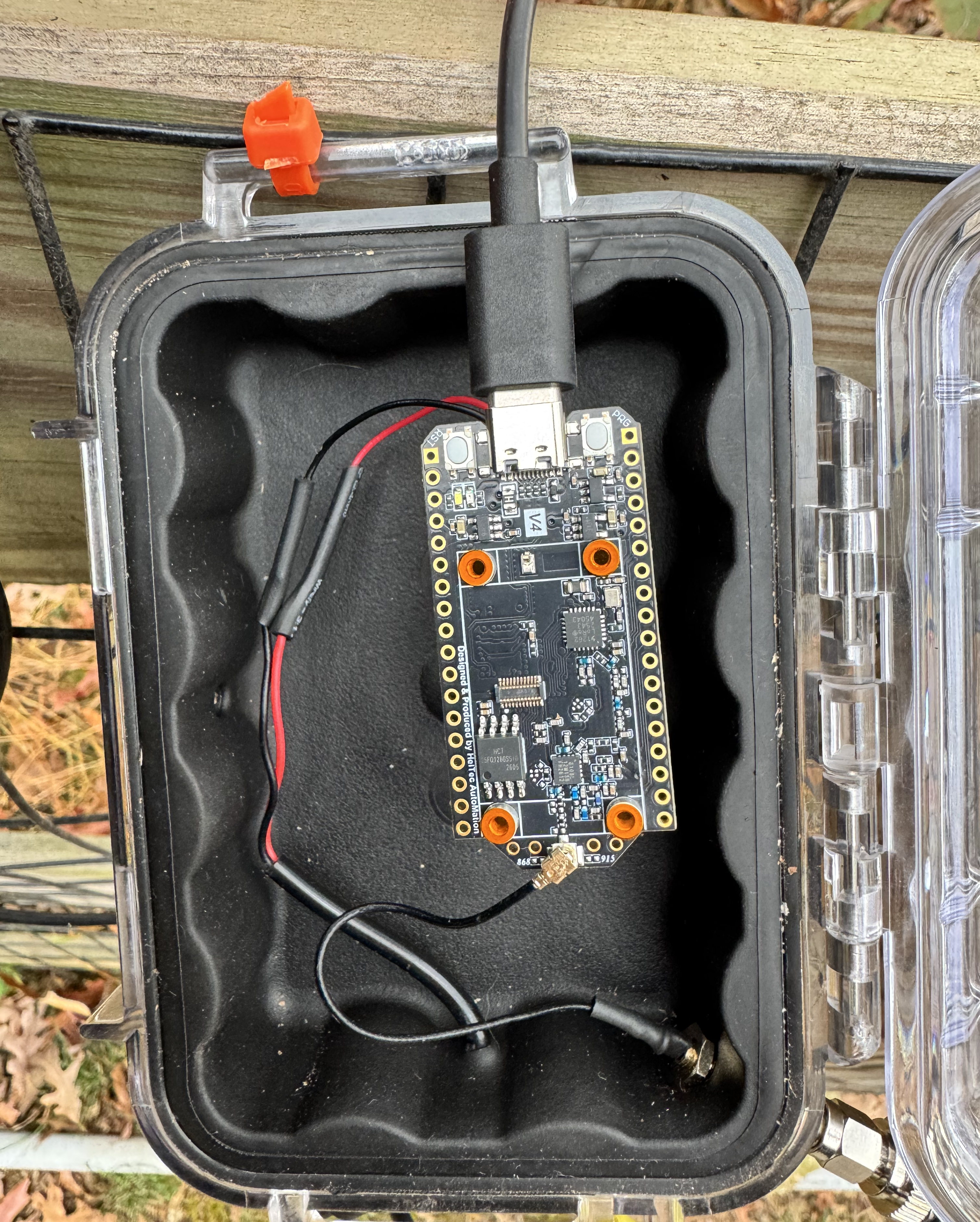
My biggest improvement: an external antenna
One of the most useful changes I've made is installing an external antenna. The small antennas shipped with many radios are convenient, but buildings, trees, and hills can interfere with their signals. In North America, Meshtastic commonly operates around 915 MHz, where antenna placement can make a big difference (Meshtastic, Radio Settings; Meshtastic, Site Planner).
At home, I use a RAIGEN 5.8 dBi 915 MHz external antenna. With it, I've been able to communicate easily with other Meshtastic users in my region. I haven't done controlled distance tests, so I can't give a precise range improvement. I can say it has worked very well for me.
Height and location matter. An outdoor antenna with a clearer path may perform better than one sitting indoors. The antenna must also match the radio's frequency and connector, and long, poor-quality cables can reduce performance (Meshtastic, Antenna Testing).
For my portable Cardputer, I also upgraded the antenna for about $9: the portable antenna I purchased. You don't necessarily need an expensive radio to improve your results.
One caution: don't power on a radio that requires an attached antenna without connecting one first. You could damage it (Meshtastic, Getting Started).
How far can you reach?
It depends on terrain, buildings, antennas, and the other radios in your area. A device inside a house might have limited range; a well-placed outdoor antenna could reach several miles under favorable conditions. Meshtastic lists extraordinary long-distance records, but they're not what a typical household should expect (Meshtastic, Range Tests).
A relay on a hill or tall building may help messages travel beyond the range of any single radio. Still, a line on a coverage map is no substitute for an actual test.
Why it matters during a disaster
Imagine a handful of neighbors with inexpensive Meshtastic radios. One household has an elevated antenna; others keep charged radios in their emergency supplies. When normal communications go down, they can still try to exchange short updates about family safety, blocked roads, or neighbors who need assistance.
Meshtastic isn't a replacement for emergency services. It does not automatically connect you to 911. Messages can fail, and an acknowledgment doesn't necessarily mean the intended person has read what you sent. Ask for a reply when the information matters.
It also isn't a substitute for the internet. It is meant for short text and location updates, not voice calls, photos, or video. The default public channel uses a publicly known encryption key, so don't assume messages there are private. You can set up private channels, but the encryption has limitations. Be careful with sensitive information and your location-sharing settings (Meshtastic, Encryption).
My outdoor setup currently runs from a small USB power bank for about two days. I'm also experimenting with rechargeable batteries and a solar panel to extend that time. Independent power could make a local network much more useful during an extended outage.
How to get started
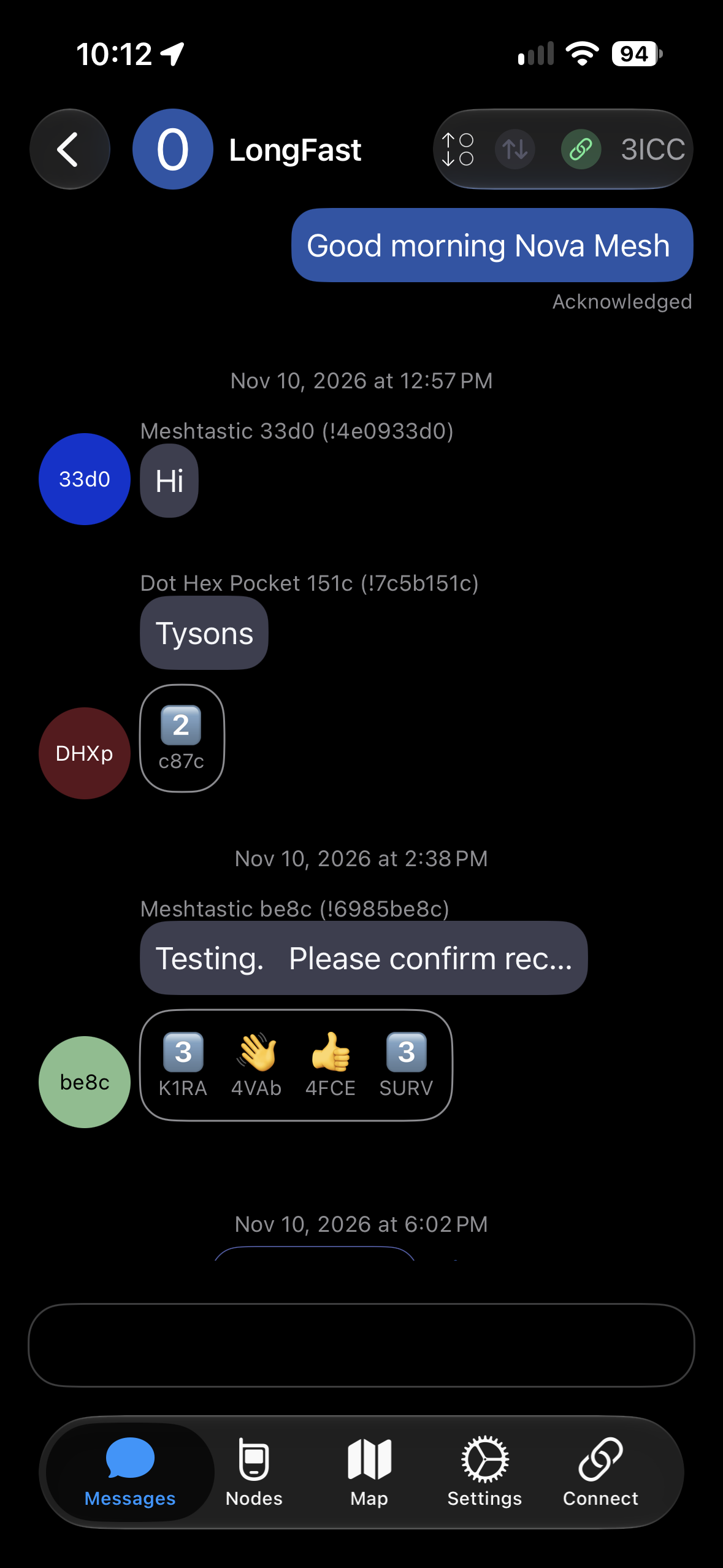
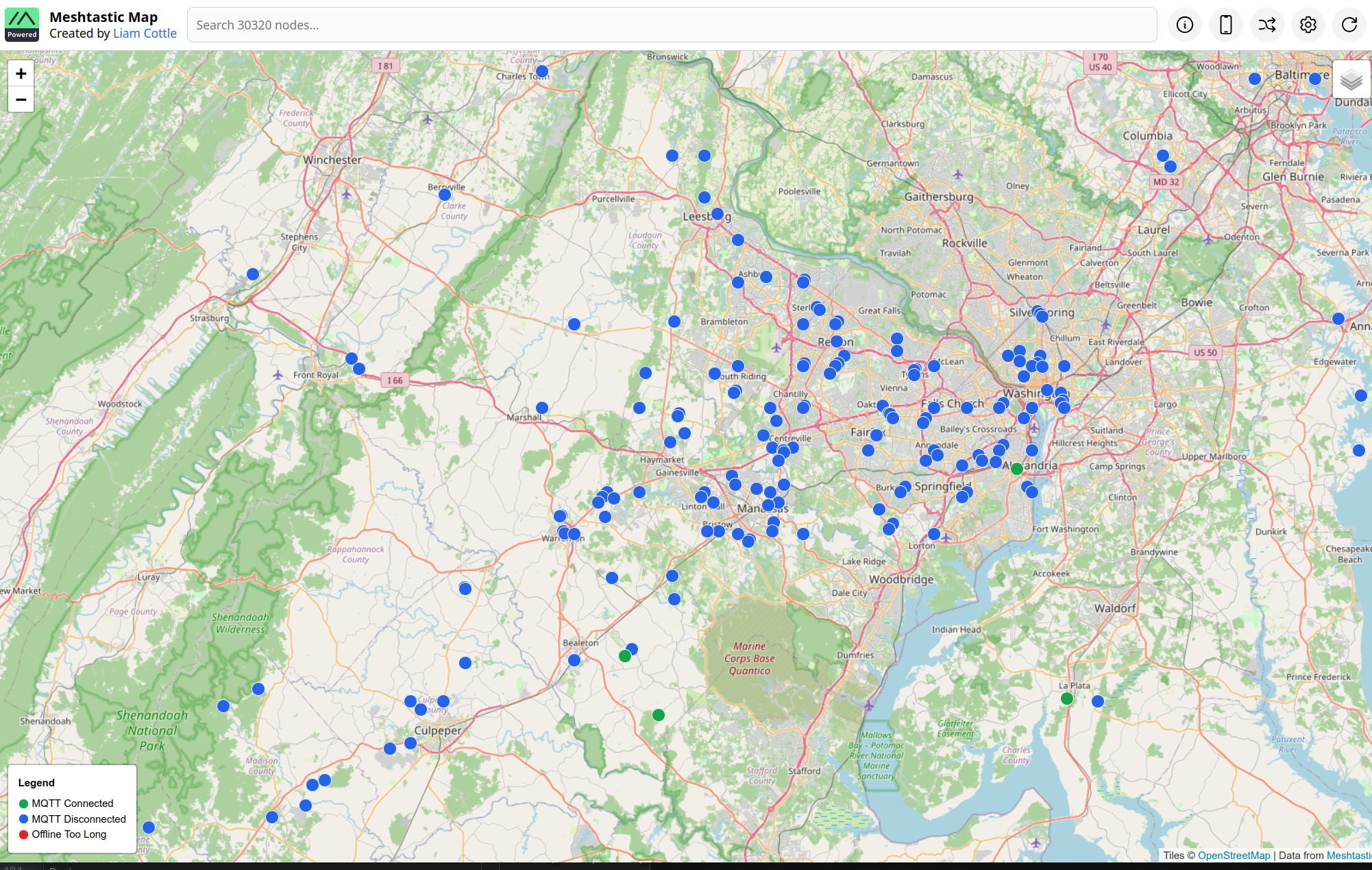
Start by checking a community map, such as Liam Cottle's Meshtastic map, to get a sense of activity near you. Search for meshtastic in your area on google or reddit. Most areas use the default settings, some do not. This is where ChatGPT assisted me. In my area we have two groups one using the defaults and one using different channel settings. I was able to connect with the non standard community which is more active in my immediate area.
Then pick a supported device, install the iOS or android app if your radio needs a phone to connect to it, and choose the correct region and compatible radio settings. If nobody is nearby, get a second radio and test with a friend or family member. You can start with two devices, and it's useful to have one for each person who may need to communicate separately.
You may need a computer with a USB port. Many devices come pre flashed but some do not. Read the description carefully. Even if your choice does come pre flashed, you will need the ability at some point to connect it via usb to a computer and upgrade the firmware.
Read the meshtastic documents carefully to understand setup and configuration. The online community is huge so help is never far away.
Test from the places where you'll actually use the equipment. Agree on your group's settings, keep batteries charged, and have a backup plan if messages don't arrive. In the United States, compatible Meshtastic radios can generally operate under applicable unlicensed radio rules without an amateur radio license, provided the equipment and operation comply with those rules (Federal Communications Commission, 2002; Meshtastic, Introduction; Meshtastic, Legal).
Preparing before the next disaster
The real opportunity is a neighborhood that prepares together. A few people can help with antenna placement and shared relay locations; everyone else just needs a charged radio and enough practice to send a message.
Meshtastic won't replace cellular networks, satellite communications, or amateur radio. It gives ordinary people another option when infrastructure fails. And unlike a disaster, getting started doesn't require a deadline. You can test it with your community now.
Example shopping list
This is everything listed in this article. You do not need all of this to get started. The pelican case requires drilling a hole to accommodate the antenna lead. Powering your node has several options. Right now, I use a power bank and switch it out every two days. I have used a standalone rechargeable battery with the solar panel plugged in to help keep it charged. The V4 charge controller is limited and does not keep the battery topped off for me. There are additional methods to work around this (external charge controller/software settings) if you enjoy experimenting with electronics. To easily get up and running, you need meshtastic radio, battery, antenna, your ios or android phone.
- Heltec V4 Lora Board
- Standalone rechargeable battery JST-1.25 connector for Heltec V4.
- Pelican 1010 case
- Inexpensive Power Bank
- USB-C Cable
- Antenna lead - Heltec to external Antenna
- External Lora Antenna
- 5v Solar Panel
- M5Stack Cardputer
- Lora/GPS module for Cardputer
- Better Antenna for Cardputer
TL;DR
- No cell service or internet required. Radios communicate directly using long-range radio signals.
- Your radio joins a mesh network. Compatible radios can automatically pass messages along to other radios, extending the network's reach.
- Text messaging only. Send short text messages to individuals or groups. No voice calls, audio, or video streaming.
- Short messages. Messages are generally limited to 200 bytes, approximately 200 standard English characters.
- Optional GPS location sharing. Supported devices can automatically broadcast their location in the background when configured to do so. Location sharing can be disabled or made less precise.
- Group and private messaging. Communicate on shared channels or send encrypted direct messages to individual users.
- Low power consumption. Many devices run on small batteries and can be powered by USB power banks or solar systems.
- Affordable equipment. Basic radio boards can cost less than $30. Complete devices with batteries, screens, and keyboards cost more.
- Phone optional. Connect a radio to an iPhone or Android device, or use a standalone model with its own keyboard and display.
- No monthly subscription. Local radio communication is free once you own the equipment.
- No license required. In the United States, compatible equipment can operate under applicable unlicensed radio rules.
- Range varies. Buildings, terrain, antennas, and nearby radios affect how far messages travel. External antennas and elevated locations can improve coverage.
- Community powered. The more strategically located, compatible radios operating in an area, the more opportunities messages have to reach distant users.
- Delivery is not guaranteed. Messages depend on available radio paths and working equipment. Meshtastic does not replace 911.
These are my personal views, not those of my employer.
Sources
Cooper, T. (2019, March 28). Long range with LoRa®. Semtech Blog. https://blog.semtech.com/long-range-with-lora
Federal Communications Commission. (2002). Additional spectrum for unlicensed devices below 900 MHz and in the 3 GHz band (FCC 02-328; ET Docket No. 02-380). https://docs.fcc.gov/public/attachments/fcc-02-328a1.pdf
Federal Communications Commission. (2013). Order concerning M-LMS operations and Part 15 devices in the 902–928 MHz band (FCC 13-78). https://docs.fcc.gov/public/attachments/FCC-13-78A1_Rcd.pdf
Meshtastic. (n.d.). Configuration tips. Retrieved November 14, 2026, from https://meshtastic.org/docs/configuration/tips/
Meshtastic. (n.d.). Device configuration. Retrieved November 11, 2026, from https://meshtastic.org/docs/configuration/radio/device/
Meshtastic. (n.d.). Getting started. Retrieved November 11, 2026, from https://meshtastic.org/docs/getting-started/
Meshtastic. (n.d.). Introduction. Retrieved November 11, 2026, from https://meshtastic.org/docs/introduction/
Meshtastic. (n.d.). Legal. Retrieved November 11, 2026, from https://meshtastic.org/docs/legal/
Meshtastic. (n.d.). LoRa configuration. Retrieved November 11, 2026, from https://meshtastic.org/docs/configuration/radio/lora/
Meshtastic. (n.d.). Mesh broadcast algorithm. Retrieved November 11, 2026, from https://meshtastic.org/docs/overview/mesh-algo/
Meshtastic. (n.d.). Meshtastic encryption. Retrieved November 11, 2026, from https://meshtastic.org/docs/overview/encryption/
Meshtastic. (n.d.). Meshtastic Site Planner. Retrieved November 11, 2026, from https://meshtastic.org/docs/software/site-planner/
Meshtastic. (n.d.). Overview. Retrieved November 11, 2026, from https://meshtastic.org/docs/overview/
Meshtastic. (n.d.). Radio settings. Retrieved November 11, 2026, from https://meshtastic.org/docs/overview/radio-settings/
Meshtastic. (n.d.). Range tests. Retrieved November 11, 2026, from https://meshtastic.org/docs/overview/range-tests/
Meshtastic. (n.d.). Software. Retrieved November 11, 2026, from https://meshtastic.org/docs/software/
National Telecommunications and Information Administration. (2015, December 1). 902–928 MHz [Spectrum compendium]. https://www.ntia.doc.gov/files/ntia/publications/compendium/0902.00-0928.00_01DEC15.pdf
Walker, Z. (2024, October 17). The road to recovery in Western North Carolina. Benton Institute for Broadband & Society. https://benton.org/blog/road-recovery-western-north-carolina
Additional sources
M5Stack. (n.d.). Using Meshtastic with Cardputer Mesh Kit. https://docs.m5stack.com/en/guide/cardputer_mesh_kit/meshtastic
Meshtastic. (n.d.). Heltec LoRa 32. https://meshtastic.org/docs/hardware/devices/heltec-automation/lora32/
Meshtastic. (n.d.). Antenna testing. https://meshtastic.org/docs/hardware/antennas/testing
Want to Compare Notes?
I am an amateur radio operator (K3IC), electronics builder, programmer, and I work in the disaster space. Feel free to reach out if you have questions or thoughts on how meshtastic can help you or your community.
medukonis@yahoo.com